

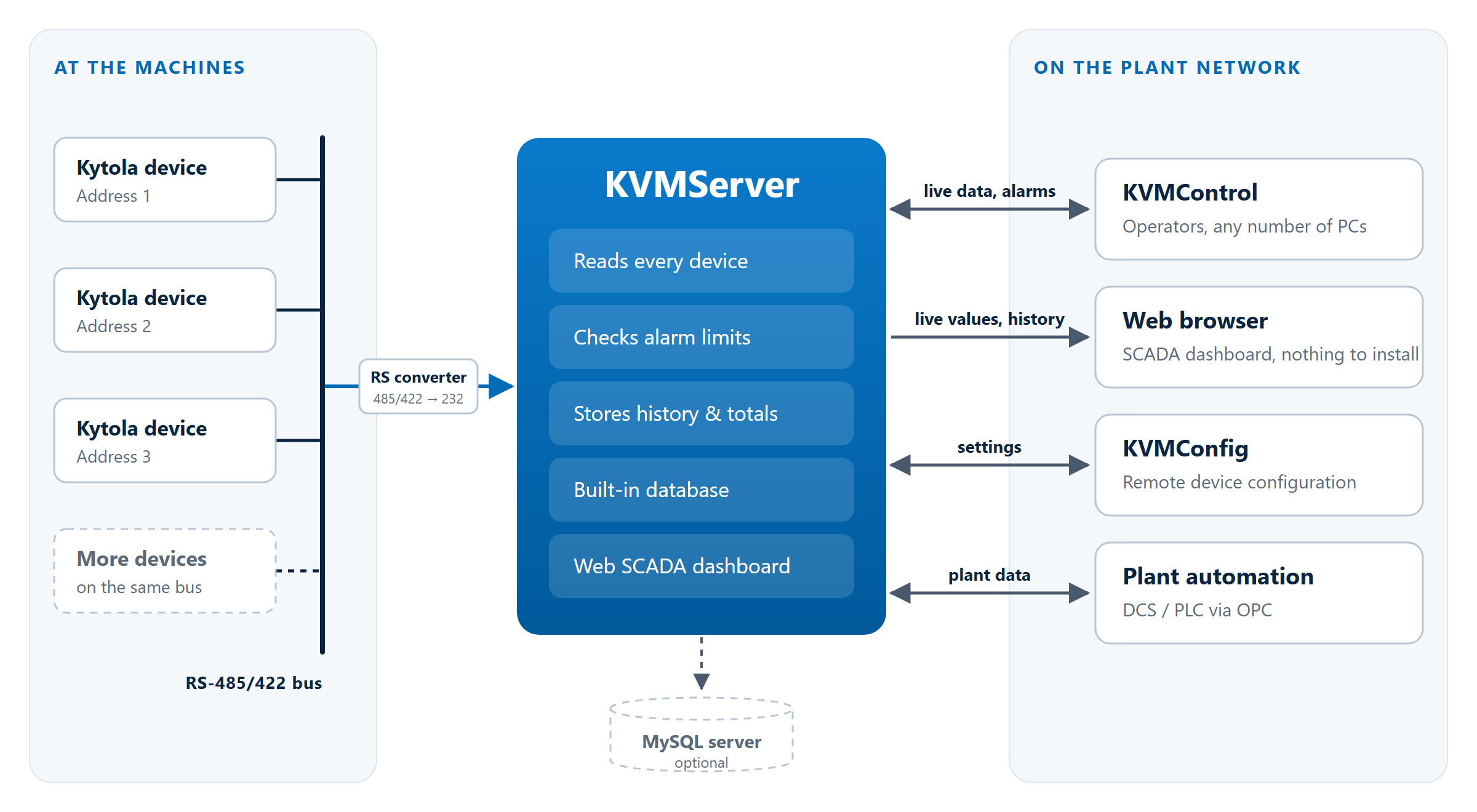
KVMServer is the core of a Kytola flow monitoring system. It reads every Kytola device on the RS-485/422 bus around the clock, checks each measuring point against its alarm limits, stores the history and shares everything live with the rest of the system
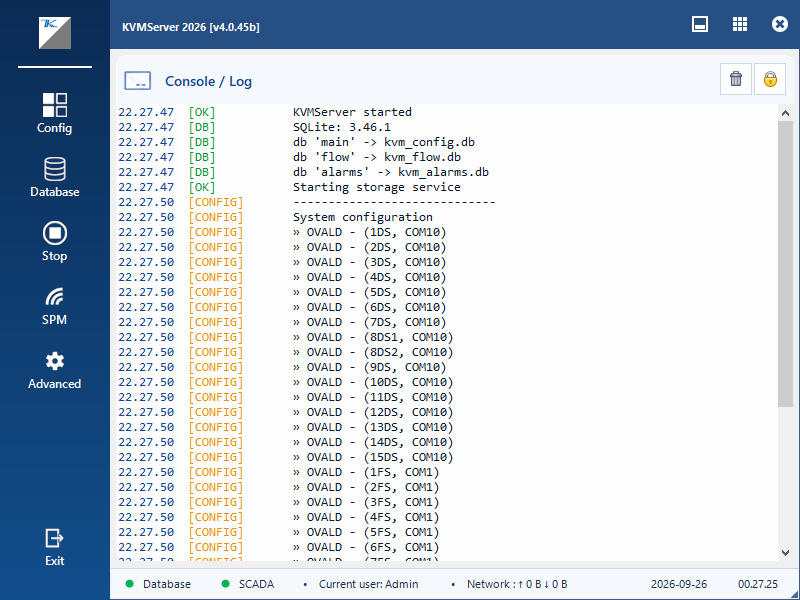
Install it once on a PC near the devices and start it like any other program: KVMServer shows its status in its own window while it works. For sites that want monitoring to start by itself, it can also run as a scheduled task at sign-in or as a Windows service
Runs your way
- Start it like any program and follow its status in the server window
- Or let it start by itself: as a scheduled task when you sign in, or as a Windows service from system start-up, whether or not anyone is signed in
- When running as a service, open the server window at any time to check its status or change settings; closing the window leaves monitoring running
- USB serial adapters are detected as they are plugged in, without restarting the server
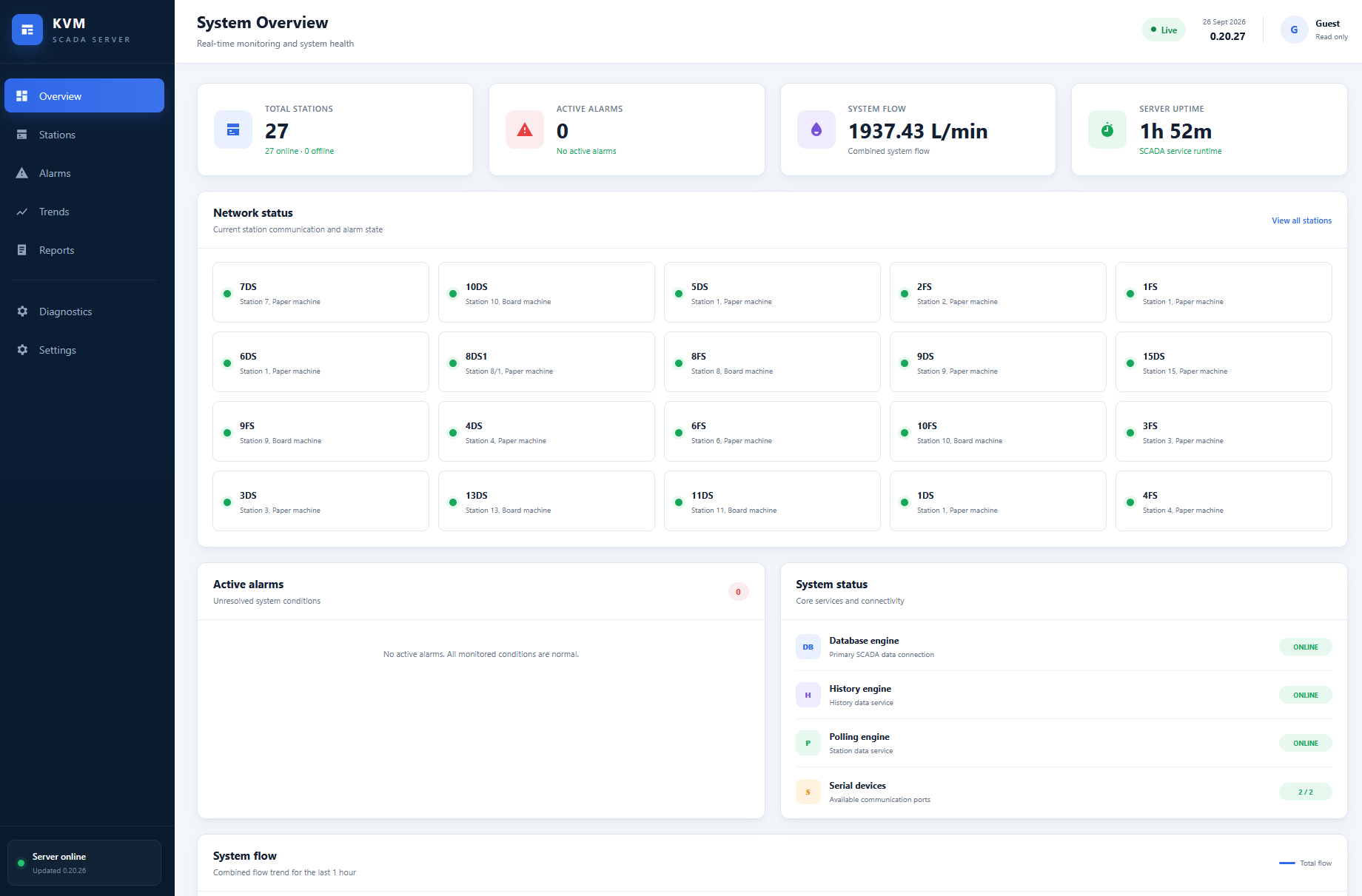
SCADA dashboard in your browser
- A built-in web dashboard shows live values and history on any PC, tablet or large screen on the network, with nothing to install
- Ideal for control-room displays and for anyone who needs to see the situation without using KVMControl
Alarms and data you can rely on
- Alarms are detected by the server and sent instantly to every connected KVMControl client
- Flow history, alarm history and flow totals are stored continuously
- A database is built in. Sites that prefer a dedicated MySQL server can use one; if it becomes unavailable, KVMServer carries on storing locally and catches up automatically when the connection is restored
Connects the whole system
- Serves any number of KVMControl clients on the network
- Lets KVMConfig configure devices remotely, from anywhere, through the KVMServer
- OPC DA interface for connecting to plant automation and control systems
Part of KVMSuite 2026
- Installs online or offline from a USB stick, and stays up to date with KVM update tool
- Online or offline update packages available